
Windows Media Creation Tool Features
A complete breakdown of every capability in the official Microsoft utility for upgrading, reinstalling, and creating Windows installation media.
OS Upgrade & Installation
Windows Media Creation Tool allows users to either upgrade their current system to the latest version of Windows or create bootable USB drives and ISO files for clean installations. This makes it ideal for installing Windows on multiple computers, troubleshooting existing systems, or performing system recovery.
The process is guided, with clear prompts and instructions, making the installation experience straightforward even for users who lack technical expertise. Performance-wise, this installer is lightweight and fast, completing downloads and media creation efficiently depending on your internet speed and USB drive performance.
Microsoft continuously updates the tool to accommodate the latest Windows updates, ensuring that installations are secure, stable, and fully functional. Its reliability has made it a trusted tool for millions of users worldwide.
Read the upgrade guide →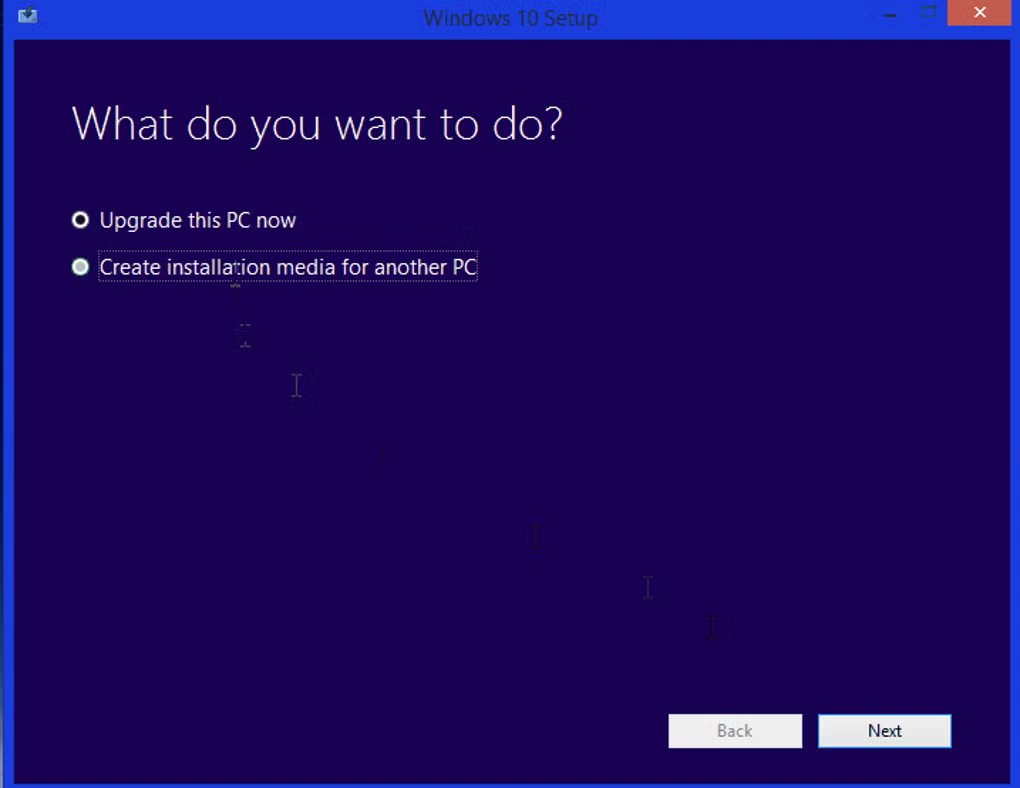
.avif)
Bootable USB & ISO File Creation
Windows Media Creation Tool lets you create a bootable DVD or USB that will allow you to reinstall the operating system on your PC. The Windows installer it creates even lets you choose whether you want to wipe all of the files on your hard drive and do a clean install, which is recommended in case your PC was compromised by a virus, or if you want to keep your programs and configuration.
The utility's compatibility with USB drives and ISO formats makes it versatile for a variety of installation scenarios. The tool will take care of downloading the Windows ISO files and copy them to the installation media you have provided, which can be either a DVD or USB flash memory stick.
- Creates bootable USB flash drives in a few clicks
- Generates ISO files for offline or virtual machine use
- Supports both clean install and keep-files upgrade paths
Edition & Language Selection
The program prompts you to select the edition of Windows you need, its language, and your PC's architecture. This flexibility allows users to tailor installations to their specific needs across different regions and hardware configurations.
It supports multiple languages and editions, including English, German, Spanish, French, Italian, Dutch, Polish, and Portuguese. Works with all versions and languages of the Windows 10 and Windows 11 operating systems.
.avif)
Additional Capabilities
Beyond media creation, Windows Media Creation Tool delivers performance, security, and ease of use that set it apart.
32-bit & 64-bit Architecture Support
Offers options for both 32-bit and 64-bit systems, ensuring broad compatibility across older and newer hardware. Select the correct architecture during setup to match your target PC's processor.
Guided Step-by-Step Wizard
Uses a minimalistic, user-friendly interface. Users simply download the tool, select their preferred options, and let the software handle the rest. Throughout the whole process, you just need to follow the prompts.
Lightweight & Fast Performance
The tool itself is only 3.34 MB in size. It is lightweight and fast, completing downloads and media creation efficiently. Microsoft continuously updates it to accommodate the latest Windows releases.
Secure & Continuously Updated
As an official Microsoft app, it ensures installations are secure, stable, and fully functional. The tool receives regular updates aligned with the latest Windows security patches and feature releases.
Multi-PC Deployment
Ideal for installing Windows on multiple computers. IT professionals can create standardized installation media for deployment across workstations, laptops, and recovery scenarios.
System Recovery & Repair
When a hard drive fails, operating system files become corrupted, or a computer becomes infected with malware, Windows Media Creation Tool provides a dependable path to reinstall and recover your system.
Pros & Cons
Pros
- Free and easy to use
- Supports Windows 10 and 11 upgrades
- Creates bootable USB and ISO files
- Lightweight and fast performance
- Continuously updated by Microsoft
- Simple to use, no technical knowledge required
- Works with all versions and languages of Windows
Cons
- Risk of data loss if target drive is selected incorrectly
- Downloading required files can take a long time on slow internet connections
- Windows ISO files are over 3 GB in size
- Requires leaving the program running during large downloads